
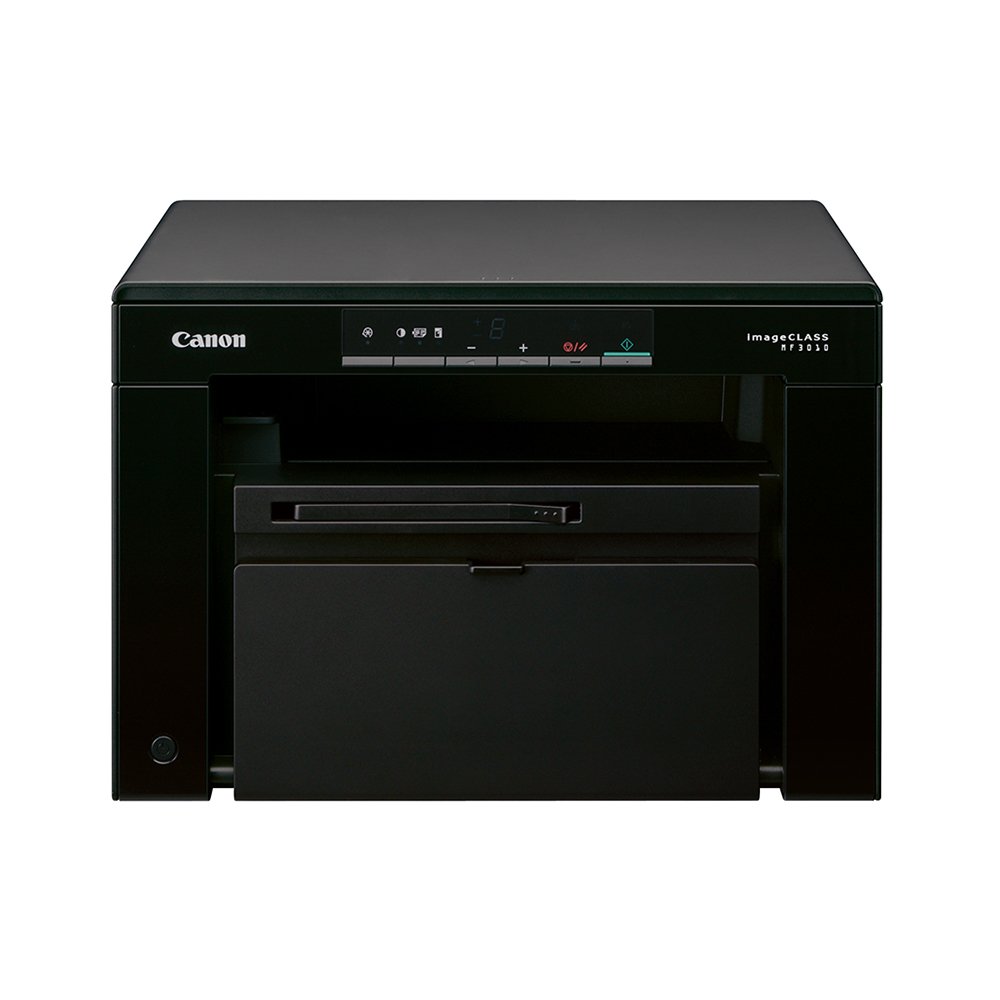
Description
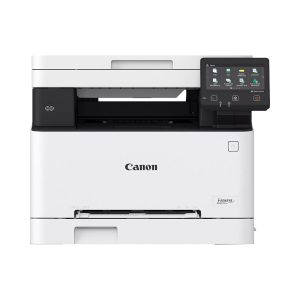
Desktop Mono laser 3-in-1: print, copy & scan
Print Quality: Up to 1200 x 600 dpi with Automatic Image Refinement
Print Resolution: 600 x 400 dpi
Copy Resolution: Up to 600 x 600 dpi
Scan Resolution: Optical: Up to 600 x 600 dpi / Enhanced: Up to 9600 x 9600 dpi
Modern, eye-catching design
Easy to use vertical display
18 ppm, 7.8 seconds First Print Out Time
Energy efficient
| Brand | CANON |
| Colour | Black |
| Country | South Korea |
| Functions | 3 In 1 (Print, Copy, Scan) |
| Printing Output | Mono Printer |
| Print Technology | Laser Technology |
| Max Print Resolution (Colour) | – |
| Max Print Resolution (Mono) | Up to 600 x 400 DPI |
| Duty cycle (monthly, A4) | Up to 8000 pages |
| Print Speed (Mono) | Up to 18 PPM |
| First Print Out Time (Mono) | 7.8 sec |
| Other Print Features | 5 mm-top, 6 mm- bottom, 5 mm-left and right print margins |
| Copy Resolution (Mono) | Up to 600 x 600 DPI |
| Copy Speed (Mono) | 18 CPM |
| Copier Resize | 5 % – 200 % |
| Other Copier Features | 2 on 1, ID Card Copy |
| Scanner Type | Flatbed Scan |
| Bit Depth (Colour) | 24-bit |
| Scan Area Size | 216 mm |
| Scan Resolution Optical | Up to 600 x 600 DPI |
| Other Scan Features | Color Scanning |
| Output Tray Capacity | 100 sheets |
| Input Tray Capacity | 150 pages |
| Media Sizes | A4, B5, A5, Executive, Envelope (COM10, Monarch, DL, B5, C5), LTR, LGL, Statement, 76 x 216 mm, 127 x 356 mm |
| Media Types Supported | Plain paper, Heavy paper, Recycled paper, Transparency, Label, Envelope, Index Card |
| Display Type | Without Display |
| Touchscreen | No |
| Ethernet Support | No |
| USB Support | USB 2.0 |
| Wireless Capability | No |
| Compatible Ink Types | Cartridge 725 (1,600 pages) |
| Weight | 8.2 kg |
| Dimensions (W x D x H) | 372 (W) x 276 (D) x 254 (H) mm |
| Operating Humidity Range | 20 % – 80 % RH |
| Power Consumption (Standby) | 1.4 W |
| Power Consumption (Active) | 450 W |
| Power Requirements | 220-240 V (±10%), 50/60 Hz (±2 Hz) |
| Operating Temperature Range | 10 – 30°C |
| OS Compatibility | Windows 7/2000/ XP/ Vista, Mac OS X Version 10.4.9 – 10.7.x, Linux |
Reviews
There are no reviews yet.